TL;DR:
- ADA website compliance requires state and local governments and private businesses to meet WCAG 2.1 Level AA standards for accessible digital content. Practical steps include running scans, auditing key pages, and publishing an accessibility statement; long-term success depends on ongoing monitoring and remediation. Documented efforts, manual testing, and adherence to narrow exceptions strengthen legal defense and demonstrate good-faith compliance efforts.
ADA website compliance means your site must provide effective communication to people with disabilities. For state and local governments, that obligation is now codified: the DOJ’s April 2024 Title II final rule adopts WCAG 2.1 Level AA as the required technical standard for web content and mobile apps. For private businesses under Title III, no single federal technical rule exists, but courts and settlements consistently treat WCAG 2.1 Level AA as the working benchmark.
Here is who must comply and what the practical standard looks like:
- State and local governments (Title II): Required to conform to WCAG 2.1 Level AA under the 2024 DOJ rule, with staggered compliance deadlines depending on population size.
- Private businesses (Title III): Public accommodations — retail, hospitality, healthcare, financial services, and most e-commerce — must provide “effective communication.” No single mandated technical standard, but WCAG 2.1 AA is what courts reference.
- The technical benchmark: WCAG 2.1 Level AA across all public-facing web content and mobile apps.
Your immediate next steps, regardless of entity type:
- Run an automated scan (Axe, WAVE, or Lighthouse) and identify your top five highest-impact issues.
- Schedule a manual audit of your most-visited page templates, including checkout and contact flows.
- Draft or publish an accessibility statement that documents your current status and remediation plan.
Table of Contents
- What does the DOJ’s 2024 web rule actually require?
- How does the ADA apply to your private business?
- How do you build a practical compliance workflow?
- What does a WCAG 2.1 Level AA checklist cover?
- How should you test for real accessibility?
- When do exceptions apply, and how do you document them?
- What should you do if you receive a demand letter?
- How Cannatract delivers ADA compliance projects
- Key Takeaways
- Accessibility is a product decision, not just a legal one
- Cannatract’s free accessibility audit: what it includes
- Authoritative sources and further reading
- FAQ
What does the DOJ’s 2024 web rule actually require?
The April 2024 Title II final rule is the most significant federal accessibility rulemaking in decades. It amends 28 CFR Part 35 to require state and local governments to make their web content and mobile apps conform to WCAG 2.1 Level AA. The rule covers services, programs, and activities offered to the public through the web — think DMV portals, public health sites, court systems, transit apps, and school district websites.
Who is covered: Any state or local government entity subject to Title II of the ADA. That includes cities, counties, state agencies, public universities, public transit authorities, and public school districts. Third-party vendors and contractors who build or maintain those systems are also pulled in through contract and procurement requirements.
Staggered compliance dates: The rule phases in deadlines by population size. Larger public entities face earlier deadlines; smaller ones get additional time. The ADA.gov First Steps resource outlines the process and recommends that entities begin immediately regardless of their deadline tier.
Note: A 2026 Federal Register notice extended compliance dates for certain entities — confirm your specific deadline against current DOJ guidance.
Core requirements under the rule:
- Full WCAG 2.1 Level AA conformance across covered web content and mobile apps
- Publication of an accessibility statement with contact information for reporting issues
- Updated vendor contracts and procurement language to require accessible deliverables
- Internal training and policy development to sustain conformance over time
Exceptions — and what documentation they require:
| Exception | When it may apply | Documentation required |
|---|---|---|
| Preexisting archived content | Web content archived before the compliance date and not updated | Document archive date; confirm content is not actively used |
| Undue burden | Compliance would impose significant difficulty or expense relative to resources | Written analysis of cost, impact, and alternative access offered |
| Fundamental alteration | Compliance would fundamentally change the nature of the program | Written analysis; approval at senior administrative level |
These exceptions are narrow. Claiming one without documentation is not a defense — it is a liability. Where an exception applies, the entity must still offer an accessible alternative means of access.
The DOJ fact sheet is the fastest way to confirm scope and deadlines for your entity type.
How does the ADA apply to your private business?
Title III of the ADA covers “public accommodations” — a category that courts have broadly applied to include websites and apps operated by businesses that serve the public. Retail stores, restaurants, hotels, banks, healthcare providers, and e-commerce platforms have all faced Title III claims. The circuit courts are not fully unified on whether a website must have a nexus to a physical location, but the trend in most jurisdictions is toward broad coverage.

The legal standard is “effective communication.” Your site does not need to be perfect, but it must allow a person with a disability to access the same information and services as anyone else. Courts and settlements increasingly reference WCAG 2.1 Level AA as the functional benchmark for what “effective communication” looks like in practice.
Documentation is your primary defense. A company that can show a scoped audit, a prioritized remediation backlog, validated fixes, and a published accessibility statement is in a materially different legal position than one that cannot. Legal experts note that using WCAG AA as a documented roadmap demonstrates good-faith effort toward effective communication — which courts treat as meaningful evidence.
Pro Tip: Automated scans alone will not protect you. A demand letter that arrives after you ran a single Axe scan and called it done is harder to defend than one that arrives after a documented manual audit, remediation sprint, and re-test cycle.
How do you build a practical compliance workflow?
A defensible compliance program follows four steps. This is not a one-time project — it is a repeating cycle, because new content and plugin updates continuously reintroduce barriers.
-
Audit: Combine automated scanning (Axe, WAVE, Lighthouse, or IBM Equal Access Checker) with manual keyboard-only walkthroughs, screen reader testing (NVDA on Windows, VoiceOver on macOS/iOS), and task-based testing with users who have disabilities. Automated tools catch roughly 25% of accessibility issues; the rest require human judgment.
-
Remediation: Build a prioritized backlog using a severity × frequency matrix. Fix keyboard traps and inaccessible payment flows first — they block entire user journeys and carry the highest legal exposure. Missing form labels, low-contrast text, and missing alt text on functional images follow. Cosmetic issues come last.
-
Accessibility statement: Publish a statement that names the standard you are targeting (WCAG 2.1 Level AA), lists known limitations, provides a contact method for users to report issues, and includes a remediation timeline. This is required under the Title II rule and is strong evidence of good faith under Title III.
-
Ongoing monitoring: Integrate accessibility checks into your CMS and development pipeline so every new page, plugin, or template update is gated by automated tests before it goes live. Follow with quarterly manual audits and annual full re-audits.
Sample 30/60/90-day remediation timeline
Days 1–30: Complete the audit. Deliver a report mapped to WCAG success criteria. Triage the backlog by severity. Fix critical blockers: keyboard traps, missing skip links, inaccessible modals, broken form labels on checkout pages. Publish a draft accessibility statement.
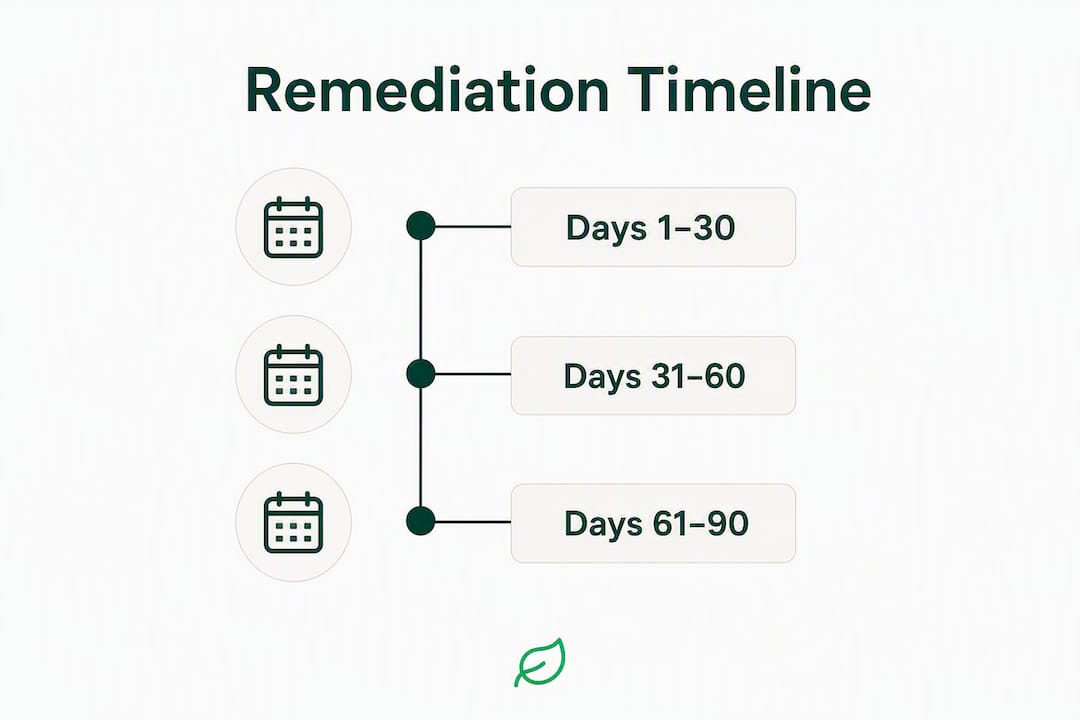
Days 31–60: Remediate high-priority issues across your highest-traffic templates. This typically covers alt text, color contrast, heading structure, and ARIA landmark corrections. QA validates each fix against the original WCAG criterion. Update the accessibility statement with progress.
Days 61–90: Address medium-priority issues. Implement release-gate controls in your CI/CD pipeline. Conduct a screen reader walkthrough of all primary user flows. Finalize the accessibility statement with a forward-looking maintenance schedule.
Ownership by role:
- Product owner: Prioritization decisions, backlog management, timeline accountability
- Accessibility engineer / front-end developer: Code-level remediation and ARIA implementation
- QA: Validation testing against WCAG criteria and re-test sign-off
- Legal/compliance: Accessibility statement review, demand letter response, vendor contract language
What does a WCAG 2.1 Level AA checklist cover?
WCAG organizes its success criteria under four principles: Perceivable, Operable, Understandable, and Robust (POUR). Level AA is the conformance target required by the DOJ rule and referenced in most legal settlements.
| POUR Principle | Common failures | Typical fix |
|---|---|---|
| Perceivable | Missing or empty alt text on images; no captions on video; insufficient color contrast | Add descriptive alt attributes; add closed captions; adjust foreground/background color pairs |
| Operable | Keyboard traps in modals; no skip navigation link; focus indicator not visible; carousels without pause controls | Remove keyboard traps; add <a href="#main">Skip to main content</a>; apply visible :focus styles; add pause/stop controls |
| Understandable | Missing <label> elements on form inputs; no error identification or suggestion on form validation; inconsistent navigation |
Associate every input with a <label for="id">; add aria-describedby for error messages; keep nav consistent across pages |
| Robust | Non-semantic HTML used for interactive elements; ARIA misuse; missing lang attribute on <html> |
Use native HTML elements (<button>, <nav>, <main>); validate ARIA roles against the spec; add lang="en" |
High-exposure areas that generate the most legal claims:
- Checkout and payment flows: An inaccessible checkout is a complete barrier to purchase. Every input, error message, and confirmation step must be keyboard-accessible and screen-reader-friendly.
- Video content without captions: Auto-generated captions do not meet WCAG 2.1 AA. Captions must be accurate and synchronized.
- Modal dialogs: Focus must move into the modal on open, be trapped inside while open, and return to the trigger element on close. This is one of the most commonly failed patterns.
- PDFs and downloadable documents: Tagged PDFs with proper reading order are required; untagged PDFs are a frequent complaint trigger.
A short correct markup example for a form field:
<label for="email">Email address</label>
<input type="email" id="email" name="email" aria-describedby="email-error" required>
<span id="email-error" role="alert">Please enter a valid email address.</span>
This pattern covers the label association, error identification, and live region announcement — three separate WCAG criteria in one block.
How should you test for real accessibility?
Testing is where most compliance programs fall short. A single automated scan is not an audit. A credible testing methodology combines three layers.

Automated scanning covers structural issues quickly: missing alt attributes, duplicate IDs, absent form labels, and color contrast failures. Tools like Axe DevTools, WAVE, Lighthouse (built into Chrome DevTools), and IBM Equal Access Checker each have different detection strengths. Run at least two tools against the same pages — their findings overlap but do not duplicate.
Manual testing covers everything automation cannot judge: whether alt text is meaningful, whether a keyboard flow makes logical sense, whether error messages are clear enough for a first-time user. Keyboard-only walkthroughs (Tab, Shift+Tab, Enter, Space, arrow keys) through every primary user flow are non-negotiable. Screen reader testing with NVDA + Firefox on Windows and VoiceOver + Safari on macOS/iOS reveals how your markup actually behaves for blind users.
User testing with people with disabilities is the layer most teams skip — and the one that surfaces the issues that matter most. Even a small moderated session with two or three participants using screen readers, switch access, or voice control will reveal barriers that no automated tool or sighted developer would catch.
Warning: Accessibility overlays are not a compliance solution. The DOJ and accessibility professionals consistently caution that overlays and widgets often mask underlying code-level barriers rather than fix them, and may introduce new barriers for assistive technology users. An overlay does not constitute WCAG conformance and will not protect you from a demand letter.
Pro Tip: When you commission an audit, require that every issue in the report is mapped to a specific WCAG success criterion, includes a screenshot or code reference, and carries a remediation recommendation. A credible audit report also specifies a validation step — how you confirm the fix actually works before closing the ticket.
When do exceptions apply, and how do you document them?
The three recognized exceptions under the ADA and the DOJ rule are narrow. They are not a way to defer compliance indefinitely — they are a documented decision that a specific piece of content or functionality meets a defined threshold.
Preexisting archived content covers web content that was created before the compliance date, has been moved to a dedicated archive section, is not actively updated, and is not needed to use current services. A PDF from 2015 that no one accesses is a candidate. A PDF that users still download to complete a current process is not.
Undue burden applies when compliance would impose significant difficulty or expense relative to the organization’s overall resources. This is a high bar. Small nonprofits with limited budgets have more room to invoke it than large state agencies or Fortune 500 companies. The analysis must be documented in writing.
Fundamental alteration applies when making a specific feature accessible would change the essential nature of the program or service. This is rarely applicable to standard web content.
Steps to document an exception claim:
- Conduct a written impact analysis identifying the specific content or feature and why compliance is not feasible
- Prepare a cost estimate or technical assessment supporting the claim
- Identify and document an alternative means of access (phone line, in-person service, accessible alternative format)
- Log all communications with users who request access through the alternative channel
- Have the decision reviewed and approved at an appropriate administrative level
- Set a review date — exceptions should be revisited as resources or technology change
| Exception | Strength of claim | Alternative access required? |
|---|---|---|
| Preexisting archived content | Moderate — only if truly inactive | No, if genuinely archived |
| Undue burden | Weak for large organizations | Yes — must offer meaningful alternative |
| Fundamental alteration | Rarely applicable | Yes — must offer meaningful alternative |
The default position should always be to remediate. Exceptions are a last resort, not a planning strategy.
What should you do if you receive a demand letter?
Demand letters in ADA website cases arrive fast and often feel like form letters — because many of them are. That does not mean they are low-risk. Private litigation under Title III can result in injunctive relief, attorney’s fees, and state-law statutory damages. Your response in the first 30 days shapes your legal position significantly.
- Notify counsel — If you do not have outside counsel experienced in ADA Title III, engage one before responding. The response letter itself can create admissions.
Private litigation and demand letters continue at scale, with plaintiffs frequently targeting inaccessible checkout flows, missing alt text, and broken keyboard navigation. Organizations with documented compliance programs — audit reports, remediation tickets, validation records, and a published accessibility statement — are in a materially stronger position than those responding to a letter with no prior record.
For simple fixes (missing alt text, low contrast, label associations), a 30-day remediation window is achievable. Complex platform issues — a fully inaccessible checkout built on a legacy framework — may require a 90-day plan with interim milestones. Document every milestone, even if you miss one. A missed milestone with a documented reason is better than a gap with no record at all.
How Cannatract delivers ADA compliance projects
Cannatract’s web development and compliance work follows a structured sprint model designed to produce defensible results, not just a scan report.
The project workflow:
- Audit kickoff: Automated scans plus manual walkthroughs of your highest-traffic templates, mapped to WCAG 2.1 Level AA criteria. Deliverable: a prioritized issue inventory with severity ratings and remediation guidance.
- Remediation sprints: Developer-led fix cycles organized by severity tier. Each sprint closes with QA validation against the original WCAG criterion — no ticket closes without a re-test sign-off.
- Accessibility statement: Drafted and published as part of the engagement, with your contact information, known limitations, and a forward-looking maintenance schedule.
- Monitoring setup: Automated accessibility checks integrated into your CMS or CI/CD pipeline so new content does not reintroduce barriers between audits.
What you receive at handoff:
- Audit report mapped to WCAG success criteria with screenshots and code references
- Prioritized remediation backlog with owner assignments and estimated effort
- Validated fix documentation for each closed issue
- Published accessibility statement with remediation timeline
- Monitoring configuration and a recommended re-audit schedule
Pro Tip: Ask any vendor you evaluate whether their audit report maps each issue to a specific WCAG success criterion and includes a validation step. If the answer is no, the report will not hold up under legal scrutiny.
Cannatract builds accessible websites for businesses in regulated and high-growth industries, with fixed-quote project pricing and a free initial audit to scope the work. Book a free audit at cannatract.co to get a clear picture of where your site stands.
Key Takeaways
ADA website compliance requires a documented, ongoing program — audit, remediation, accessibility statement, and continuous monitoring — anchored to WCAG 2.1 Level AA as the technical benchmark.
| Point | Details |
|---|---|
| WCAG 2.1 AA is the standard | Both the 2024 DOJ Title II rule and Title III court practice treat WCAG 2.1 Level AA as the required conformance target. |
| Automation covers only ~25% of issues | Automated tools catch roughly 25% of accessibility barriers; manual and user testing are required for full coverage. |
| Documentation is your legal defense | A scoped audit, remediation backlog, validation records, and published accessibility statement are the evidence courts look for. |
| Exceptions are narrow | Undue burden, fundamental alteration, and archived content exceptions require written analysis and an alternative access offer. |
| Cannatract delivers end-to-end | Cannatract audits, remediates, and monitors accessible websites with fixed-quote pricing and a free initial audit to start. |
Accessibility is a product decision, not just a legal one
The framing of ADA website compliance as a legal risk to manage is accurate — but it undersells the real opportunity. Every accessibility fix you make improves the experience for a broader group of users than you expect. Keyboard navigation improvements help power users and people on slow connections. Clear error messages reduce support tickets. Proper heading structure makes your content easier to scan for everyone, not just screen reader users.
The organizations that treat accessibility as a one-time remediation project tend to find themselves back in the same position 18 months later, because new content and plugin updates quietly reintroduce the same barriers. The ones that embed accessibility into their development lifecycle — gating releases with automated checks, training developers on WCAG patterns, and running periodic manual audits — spend less over time and face fewer legal surprises.
My honest recommendation: start with the highest-impact fixes first. Keyboard traps, inaccessible checkout flows, and missing form labels affect the most users and carry the most legal exposure. Get those resolved in the first 30 days. Then build the process that keeps them from coming back. Accessibility done right is not a cost center — it is a signal that your product team takes quality seriously.
Cannatract’s free accessibility audit: what it includes
Most web teams know their site has accessibility gaps. The harder question is which ones matter most, legally and operationally, and what it will actually cost to fix them.
Cannatract’s free accessibility audit gives you a clear answer before you commit to anything. We scan your site, walk through your primary user flows manually, and hand you a prioritized list of your top issues mapped to WCAG 2.1 Level AA criteria — no vague report, no upsell pressure, just a clear scope.
The free audit includes:
- A high-level automated scan across your key page templates
- A prioritized list of your top 10 accessibility issues with WCAG criterion references
- A short remediation roadmap with estimated effort tiers (quick wins vs. sprint work)
From there, you decide whether to remediate in-house or engage Cannatract for a full compliant web development project. Fixed-quote pricing, 2–4 week sprint cycles, and a documented handoff so your team owns the result.
Book your free audit at cannatract.co and know exactly where you stand within the week.
This article provides general information about ADA website accessibility requirements and is not legal advice. Confirm current compliance obligations with the DOJ’s official guidance or a qualified attorney.
Authoritative sources and further reading
Every team working on ADA website compliance should keep these primary sources close:
- ADA.gov — Guidance on Web Accessibility and the ADA: The DOJ’s primary guidance page covering both Title II and Title III obligations, overlay warnings, and the legal standard of effective communication.
- ADA.gov — 2024 Web Rule Fact Sheet: Plain-language summary of the Title II final rule, scope, compliance dates, and exceptions.
- ADA.gov — First Steps for State and Local Governments: Step-by-step action checklist for public entities beginning their compliance process.
- Federal Register — Title II Final Rule (April 24, 2024): The full regulatory text of the DOJ’s web accessibility rule for public entities.
- W3C — WCAG 2.1 and 2.2 Documentation: The authoritative technical standard. Use the “How to Meet WCAG” quick reference as your working checklist.
- U.S. Access Board — ADA Accessibility Standards: Federal standards and technical guidance from the agency that develops ADA accessibility criteria.
Use the W3C’s WCAG documentation as your technical roadmap and the DOJ’s guidance as your legal reference. When in doubt about your specific obligations, consult the primary regulatory text and a qualified ADA attorney.
FAQ
What is WCAG 2.1 Level AA and why does it matter?
WCAG 2.1 Level AA is the technical standard published by the W3C that defines how web content must be made accessible. The DOJ’s 2024 Title II rule requires it for state and local governments, and courts treat it as the benchmark for private businesses under Title III.
Does the ADA apply to my private business website?
Most private businesses that serve the public qualify as public accommodations under Title III of the ADA, which courts have broadly applied to websites and apps. No single federal technical standard is mandated for Title III, but WCAG 2.1 Level AA is the working benchmark in litigation and settlements.
How long does ADA website remediation typically take?
Critical barriers like keyboard traps and inaccessible checkout flows can be resolved in the first 30 days. A full remediation across a mid-size site typically runs 60–90 days, with ongoing monitoring required after that to prevent new issues from being introduced.
Can an accessibility overlay make my site ADA compliant?
No. The DOJ and accessibility professionals caution that overlays often mask underlying code-level barriers rather than fix them, and may introduce new barriers for assistive technology users. An overlay does not constitute WCAG conformance and is not a substitute for code-level remediation.
What should an accessibility statement include?
An accessibility statement should name the standard you are targeting (WCAG 2.1 Level AA), list known limitations, provide a contact method for users to report issues, and include a remediation timeline. Under the 2024 Title II rule, publishing an accessibility statement is a specific requirement for state and local governments.