AI Agents for Business: A 2026 Founder’s Playbook
AI agents are autonomous software systems that observe conditions, plan across multiple steps, remember context between sessions, and take actions across your tools and systems to complete real business goals — without waiting for you to prompt them each time. According to adoption data, about 62% of organizations are experimenting with agents, but only around 11% have reached production. The gap is not a capability problem. It is a scoping and governance problem. The fastest path from curiosity to measurable ROI is a focused, fixed-scope pilot on one high-frequency workflow, delivered in a few weeks. That is exactly how Cannatract approaches every engagement.
Table of Contents
- What are AI agents and how do they differ from chatbots?
- How AI agents work: the architecture you need to understand
- Which agent type fits your workflow?
- High-impact AI agent use cases by business function
- What does an AI agent pilot actually cost?
- What governance and security controls do you need before going live?
- How to run your first AI agent pilot: a step-by-step plan
- A real example: what a 2–4 week pilot looks like in practice
- Key Takeaways
- The part most AI vendors won’t tell you
- What Cannatract builds for founders ready to move from experiment to production
- Useful sources
- FAQ
What are AI agents and how do they differ from chatbots?
Most founders have already used a chatbot or a basic RPA bot. AI agents are a different category entirely, and confusing them wastes real budget.
AI agents differ from chatbots and RPA in three fundamental ways:
- Autonomous decision-making. An agent decides what to do next based on its goal and current context. A chatbot responds to a prompt. An RPA bot follows a fixed script.
- Long-term memory and state. An agent remembers what happened in previous steps and adjusts its behavior accordingly. A chatbot’s memory resets with each session.
- Proactive multi-system action. An agent can query your CRM, draft a follow-up email, update a calendar, and log the result in your billing system — in one uninterrupted sequence.
Here is a concrete example. A chatbot answers “What time is my appointment?” An RPA bot copies that appointment from one spreadsheet to another. An AI agent, given the goal “prepare this prospect for tomorrow’s demo,” pulls their CRM record, checks for open support tickets, drafts a personalized pre-call brief, schedules a reminder, and flags any risk factors — all without a human touching it.
Choosing the wrong category is expensive. If your workflow is purely rule-based and deterministic, RPA is cheaper and more reliable. If you need a single-turn response, a prompt-engineered LLM is faster to deploy. Agents earn their cost when the task requires judgment, memory, and coordination across multiple systems.
How AI agents work: the architecture you need to understand
Before you sign a contract or assign an internal team, you need to know what you are actually buying. Every production-grade AI agent has six components. If a vendor cannot describe all six, that is a red flag.
- LLM or AI model. The reasoning engine. It interprets goals, generates plans, and decides which tools to call. GPT-4o, Claude 3.5, and Gemini 1.5 are common choices, each with different cost, speed, and context-window tradeoffs.
- Orchestrator/agent runtime. The control layer that manages the agent’s planning loop, decides when to call tools, and handles multi-step sequencing.
- Memory store. Short-term working memory (the current task context) plus long-term memory (past interactions, learned preferences, persistent state). Without this, every session starts from scratch.
- Connectors and APIs. The integrations that let the agent read and write to your actual systems: CRM, billing, calendar, ERP, support desk, and data warehouse.
- Evaluators and feedback loops. Automated checks that score the agent’s outputs against defined criteria and trigger corrections or escalations when quality drops.
- Monitoring and observability. Logging every action, decision, and tool call so you can audit what the agent did and why.
Agentic AI requires explicit guardrails and observability because agents act autonomously — a misconfigured agent can create systemic errors across multiple systems before anyone notices. Instrument logging and audit trails from day one, not as an afterthought.
Pro Tip: Before your pilot goes live, require your vendor or internal team to show you a live observability dashboard. If you cannot see every action the agent takes in near-real time, you are flying blind in production.

On the build-vs-buy question: no-code platforms like Microsoft Copilot Studio or Automation Anywhere lower the barrier for standard use cases. Custom SDK builds using frameworks like LangChain or CrewAI give you more control but require engineering resources and longer timelines. For most founders, a managed build with a fixed scope is the fastest path to a working system. Moving from a prototype to a production-ready agent requires engineering discipline that goes well beyond the initial demo.
Successful implementations redesign workflows rather than bolt agents onto broken processes. The redesign work often accounts for the majority of implementation effort — plan for it.
Which agent type fits your workflow?
Not every problem needs a multi-agent orchestration system. Choosing the right architecture up front saves months of rework.
Common agent types:
- Single-purpose agent. Handles one well-defined task end-to-end (e.g., lead intake and qualification). Fastest to build, easiest to test, lowest risk.
- Goal-based learning agent. Pursues a broader objective and adapts its approach based on feedback over time. Useful for tasks where the optimal path is not fully known upfront.
- Multi-agent/orchestrated system. Multiple specialist agents coordinated by an orchestrator. Orchestration is a key capability for larger implementations and is driving most enterprise inquiries in 2026.
- Copilot-style assistant. Surfaces recommendations and drafts for a human to approve. Lower autonomy, higher trust, appropriate for sensitive or high-stakes decisions.
When to automate vs. augment:
The HBS framework is the most practical decision rule available: automate high-frequency, low-value tasks; augment human judgment on high-value or sensitive decisions.
Use this matrix when scoping your first pilot:
| Workflow | Frequency | Stakes | Recommended approach |
|---|---|---|---|
| Lead intake and routing | High | Low | Full automation |
| Invoice reconciliation | High | Medium | Automation with exception escalation |
| Contract review | Low | High | Augmentation (copilot) |
| Customer complaint resolution | Medium | High | Augmentation with agent-drafted response |
| Scheduling and reminders | High | Low | Full automation |
- High-frequency, low-value tasks are your first automation targets. The ROI math is straightforward and the risk of a mistake is recoverable.
- High-value, low-frequency decisions should stay human-led, with an agent providing research, drafts, and recommendations.
- Medium-frequency, medium-stakes workflows are candidates for automation with a human-in-the-loop threshold — the agent handles the routine path, escalates the exceptions.
Multi-agent systems add complexity, testing surface area, and security exposure. Start single-agent. Expand to orchestration only after your first agent is stable in production.
High-impact AI agent use cases by business function
The fastest way to find your first pilot is to match agent capabilities to the workflows where your team loses the most hours each week.
Sales An agent monitors your inbound lead form, scores each lead against your ICP criteria, drafts a personalized outreach email, schedules a discovery call, and logs everything in your CRM — without a sales rep touching it until the call is confirmed. Teams using this pattern typically recover 8–12 hours per week per rep that was previously spent on manual qualification and data entry.

Customer support An agent triages incoming tickets, pulls the customer’s history, categorizes the issue, resolves tier-1 requests automatically, and routes complex cases to the right human with a pre-written context brief. Error rates on ticket routing drop sharply, and first-response time can fall from hours to minutes.
Finance and operations Invoice reconciliation, purchase order matching, and expense categorization are high-frequency, rule-heavy tasks where agents excel. An agent can match invoices to POs, flag discrepancies, and route exceptions to a human approver — cutting reconciliation time by a meaningful margin without adding headcount.
Marketing Agents can pull performance data from your ad platforms, draft weekly performance summaries, generate content briefs based on keyword gaps, and personalize email sequences based on behavioral triggers. The output still needs human review for brand voice, but the research and drafting work is largely automated.
Cross-functional orchestration example: A lead arrives via web form. Agent 1 qualifies and scores it. Agent 2 checks calendar availability and books a demo. Agent 3 updates the CRM record and notifies the account executive with a pre-call brief. The whole sequence runs in under two minutes. A human only enters the workflow at the demo itself.
Where human oversight must remain: Customer-facing negotiations, legal document review, medical or financial advice, and any decision with significant regulatory exposure should keep a human in the approval chain. Agents handle the research and drafting; humans own the final call.
What does an AI agent pilot actually cost?
Cost and timeline expectations vary widely, and most vendors are not transparent about either. Here is what the market actually looks like.
Pricing bands:
Entry-level AI agent platforms start at a modest monthly price per user for SMB-focused off-the-shelf tools. Custom development projects usually involve significant investment, varying widely with complexity and systems integrated.
| Approach | Typical cost range | Best for |
|---|---|---|
| Off-the-shelf platform seat | ~$21/user/month and up | Standard use cases, low integration complexity |
| Fixed-scope custom pilot | $5,000–$40,000 | Specific workflow, defined scope, fast ROI proof |
| Full custom build | $40,000–$100,000+ | Complex multi-system, regulated, or proprietary workflows |
| Ongoing managed retainer | Varies by scope | Production support, monitoring, iteration |
Timeline expectations:
- Pilot (2–4 weeks): Scoped to one workflow, one integration, one measurable outcome. This is where you prove the concept and establish baseline metrics.
- Production hardening (2–3 months): Security review, edge-case testing, monitoring setup, staff training, and rollback procedures.
- Organization-wide scale (6–18 months): Expanding to additional workflows, departments, and multi-agent orchestration. Common blockers at this stage are data silos, inconsistent API quality, and change management friction.
Simple ROI calculation:
Take the number of hours your team spends on the target workflow each week. Multiply by your fully loaded hourly cost per employee. Multiply by 52 weeks. That is your annualized cost of the status quo. Compare it to the pilot cost plus ongoing platform fees. Most well-scoped pilots pay back within 3–6 months.
Pricing models to negotiate: Fixed-scope pilots give you cost certainty and a clear exit point if the results disappoint. Time-and-materials works for integration work where scope is genuinely uncertain. A retainer for ongoing management makes sense once the agent is in production and needs monitoring, updates, and iteration.
AWS recommends a modular approach — start with a single high-value use case, prove ROI, then expand. This reduces up-front cost, lowers risk, and produces repeatable patterns that make scaling feasible.
What governance and security controls do you need before going live?
Deploying an agent without governance controls is not a calculated risk. It is a liability. MIT Sloan’s research on agentic AI is direct: agents act autonomously and can create systemic risk without explicit controls in place.
Governance checklist:
- Defined objectives and KPIs before build starts (not after)
- Named owner accountable for the agent’s behavior in production
- Monitoring dashboard with alerting for anomalous actions
- Documented rollback procedure that can be executed in under 30 minutes
- Continuous validation framework: scheduled tests that run against the agent weekly
Security controls:
- Least-privilege permissioning: the agent can only access the data and systems it needs for its specific task
- API gateway controls with rate limiting and anomaly detection
- Data minimization: do not feed the agent data it does not need to complete its goal
- Encryption in transit and at rest for all data the agent touches
- Full activity logging and audit trails, retained for your compliance period
Testing and validation:
- Scenario testing across the full range of expected inputs before launch
- Adversarial prompt testing to check for prompt injection vulnerabilities
- Model and version controls to prevent silent behavior changes when the underlying LLM is updated
Pro Tip: Set explicit human-in-the-loop thresholds before launch. Define the exact conditions — dollar amount, customer tier, legal exposure — that trigger a human review instead of autonomous action. Build these thresholds into the agent’s logic, not into a policy document nobody reads.
For U.S. businesses in regulated industries, compliance with HIPAA, SOC 2, or PCI-DSS may impose additional data-handling requirements on any system the agent touches. Cannatract’s compliance-aware automation approach accounts for these constraints during scoping, before deployment.
How to run your first AI agent pilot: a step-by-step plan
Analysis paralysis kills more AI projects than technical failure. Here is a prescriptive path from idea to measurable result.
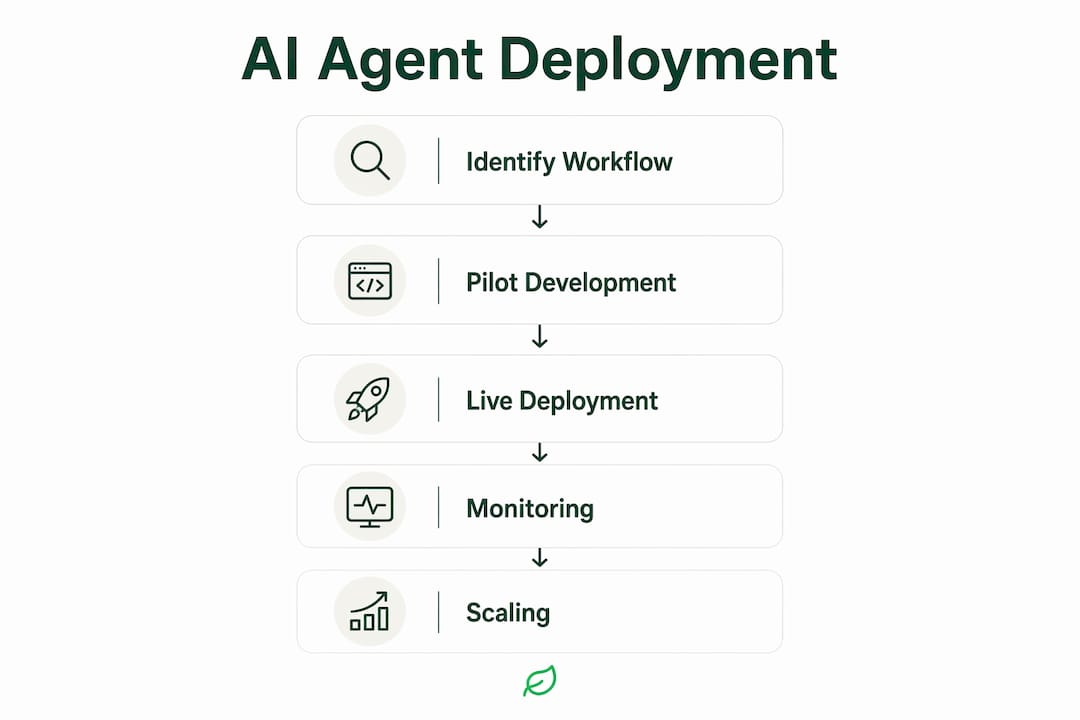
- Identify one candidate workflow. Pick the highest-frequency, most time-consuming task your team handles manually. It should have clear inputs, clear outputs, and a measurable current cost.
- Set success metrics before you build. Define what “working” looks like: time saved per week, error rate reduction, cost per transaction, or CSAT improvement. If you cannot measure it, you cannot prove ROI.
- Prepare your data and connectors. Audit the systems the agent will need to access. Confirm API availability, data quality, and permission requirements. Data gaps discovered mid-build are the most common cause of pilot delays.
- Scope a fixed-length pilot. Four weeks maximum. One workflow. One integration. One success metric. Anything broader is a project, not a pilot.
- Build, test, and measure. Run the agent in a sandbox environment first. Test against your defined scenarios, including edge cases and error conditions. Only move to production after the sandbox results are clean.
- Iterate and decide. At the end of the pilot, compare results against your pre-defined success metrics. Either the ROI is there and you scale, or it is not and you pivot. Either outcome is valuable.
Pilot checklist:
- Data access confirmed and permissioned
- Minimal viable scope documented and signed off
- Test cases written before build starts
- Rollback plan documented and tested
- Monitoring and alerting configured
- Stakeholder communication plan in place (who gets notified, when, and how)
Pilot KPIs to track:
- Hours saved per week on the target workflow
- Error rate before and after (manual vs. agent-handled)
- Cost per transaction (fully loaded)
- Escalation rate (how often the agent hands off to a human)
- NPS or CSAT impact if the workflow is customer-facing
For rapid prototyping before you commit to a full build, Spark Concept offers concept-to-product workflows that can validate your agent’s core logic before you invest in production infrastructure.
A real example: what a 2–4 week pilot looks like in practice
The most common question founders ask is: “What can actually get done in four weeks?” Here is a representative example of the delivery model Cannatract uses.
Problem: A professional services firm was spending roughly 15 hours per week across two staff members manually qualifying inbound leads, logging them in their CRM, and scheduling discovery calls. Leads were falling through the cracks during busy periods, and follow-up timing was inconsistent.
Pilot scope: A single-agent automation covering lead intake from the web form, ICP scoring against defined criteria, CRM record creation, and automated scheduling of a discovery call with the appropriate team member.
Delivery: Fixed-quote pilot, four weeks from kickoff to production. Week 1: workflow mapping and data/API preparation. Week 2: build and internal testing. Week 3: sandbox validation and edge-case testing. Week 4: production launch with monitoring in place.
Outcomes: The agent handled lead qualification and scheduling end-to-end, recovering approximately 12 hours per week in staff time. CRM data completeness improved because the agent logged every field consistently. The follow-on engagement expanded the agent to handle post-demo follow-up sequences.
This pattern — tight scope, fixed quote, measurable outcome, then expand — is repeatable. The key is that the workflow was redesigned before the agent was built, not after.
Key Takeaways
AI agents deliver measurable ROI when you start with a single, well-scoped workflow, govern the deployment from day one, and measure results against pre-defined metrics before scaling.
| Point | Details |
|---|---|
| Start with one workflow | Pick the highest-frequency manual task and pilot it in a fixed 2–4 week scope before expanding. |
| Automate vs. augment decision | High-frequency, low-stakes tasks are automation candidates; high-value decisions need human oversight with agent support. |
| Governance is non-negotiable | Require observability, audit trails, least-privilege access, and a rollback plan before any agent goes live. |
| ROI math is straightforward | Entry-level platforms start at ~$21/user/month; custom pilots typically begin at $5,000–$40,000 with payback in 3–6 months for well-scoped builds. |
| Cannatract delivers in 2–4 weeks | Cannatract builds custom AI agents with a fixed quote, free automation audit, and a pilot-first delivery model. |
The part most AI vendors won’t tell you
The deployment gap — roughly 62% of organizations experimenting with agents, and only about 11% in production — is not a technology problem. It is a process problem. Most failed projects share the same root cause: someone tried to automate a workflow that was already broken. The agent faithfully executed a bad process, faster and at scale.
The conventional wisdom says “start with AI and figure out the workflow later.” That is backwards. The workflow redesign is the hard work, and it has to happen before the agent is built. When Cannatract scopes a pilot, the first deliverable is a mapped, clarified workflow — not a demo. That mapping work is what makes the four-week timeline reliable.
There is also a governance gap that gets underestimated. Founders focus on what the agent can do and skip the question of what it should be allowed to do. An agent with write access to your CRM, billing system, and email can cause real damage if it misclassifies a customer or misroutes a payment. The guardrails are not bureaucratic overhead. They are what makes autonomous operation safe enough to trust.
The founders who get the most out of AI agents treat the first pilot as a learning exercise, not a cost-cutting exercise. The ROI usually shows up, but the bigger payoff is the operational clarity that comes from having to define your workflow precisely enough for a machine to execute it.
What Cannatract builds for founders ready to move from experiment to production
Most founders have spent months reading about AI agents. The ones who get results spend a few weeks building one.
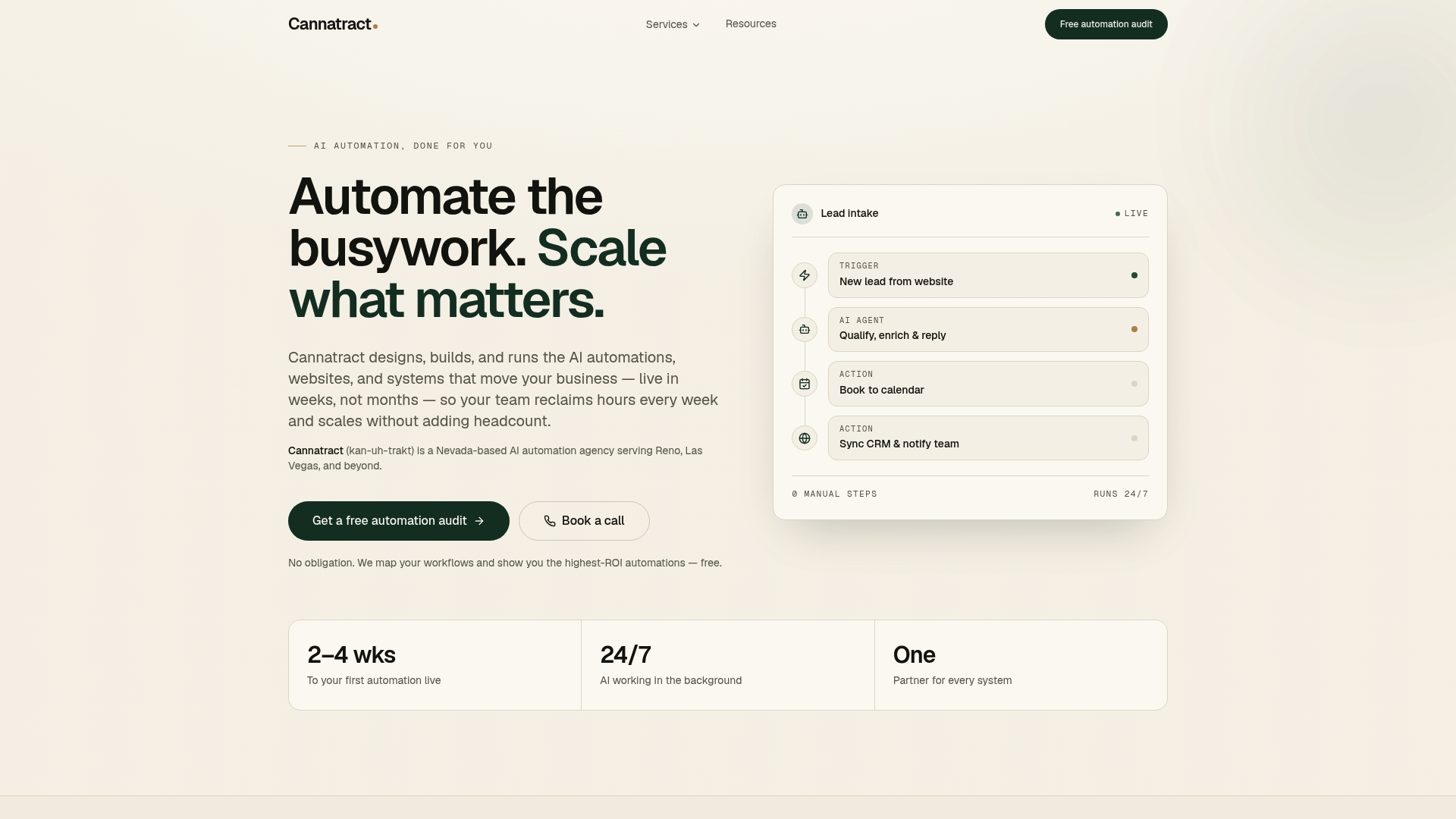
Cannatract designs, builds, and runs custom AI agents for businesses that need a working system, not another proof of concept. The engagement starts with a free automation audit: a structured conversation that identifies the workflow costing your team the most time and maps the fastest path to a measurable result. From there, you get a fixed quote and a four-week pilot scope. No open-ended retainer to start. No six-month discovery phase. A working agent in production, with monitoring and a clear ROI baseline.
Cannatract’s team handles the workflow redesign, API integrations, testing, and observability setup. You own the system. If the pilot delivers, the follow-on engagement scales it. If it does not, you have a clear answer without a six-figure commitment.
Book your free automation audit at cannatract.co and get a fixed quote within the week.
Useful sources
These are the primary sources worth reading if you want to go deeper on strategy, architecture, or governance.
- BCG: AI Agents — What They Are and Their Business Impact — Best for strategic framing: covers agent capabilities, the difference from chatbots and RPA, and enterprise adoption patterns. Start here for leadership conversations.
- MIT Sloan: Agentic AI, Explained — Best for governance and risk: covers why autonomous agents require explicit guardrails, observability, and continuous validation. Required reading before any production deployment.
- HBS: AI-Powered Business Process Automation — Best for the automate-vs.-augment decision: provides a practical framework for deciding which tasks should be automated and which should keep humans in the loop.
- AWS: What Is AI Automation? — Best for technical implementation: covers the modular, pilot-first approach to deploying AI automation and the architecture considerations for scaling.
- Gartner: Enterprise AI Agent Adoption Forecast — Best for market context: Gartner’s forecast on enterprise AI agent adoption rates, useful for board-level conversations about timing and competitive positioning.
- G2: Enterprise AI Agents Report — Best for vendor evaluation: covers enterprise adoption patterns, buyer criteria, and platform comparisons across the AI agent market.
FAQ
What exactly is an AI agent in business terms?
An AI agent is software that pursues a defined goal by planning, taking actions across multiple systems, and remembering context between steps — without requiring a human to direct each action. It differs from a chatbot, which only responds to prompts, and from RPA, which follows fixed scripts.
How long does it take to deploy an AI agent?
A focused pilot on a single workflow typically takes a few weeks from kickoff to production. Full production hardening adds several months, and organization-wide scaling can take many months depending on integration complexity.
What does an AI agent pilot cost?
Off-the-shelf platform seats start at roughly $21 per user per month. Fixed-scope custom pilots typically start in the $5,000–$40,000 range; more complex custom builds run $40,000–$100,000 or more. Cannatract provides a fixed quote after a free automation audit.
How do I know which workflow to automate first?
Pick the highest-frequency, most time-consuming manual task with clear inputs and measurable outputs. The HBS automate-vs.-augment framework is the most reliable decision rule: high-frequency, low-stakes tasks are your first automation candidates.
What governance controls are required before an agent goes live?
At minimum: defined success metrics, a named owner, a monitoring dashboard, a documented rollback procedure, least-privilege API access, full activity logging, and pre-launch scenario testing. For regulated industries, additional HIPAA, SOC 2, or PCI-DSS controls may apply depending on the data the agent handles.